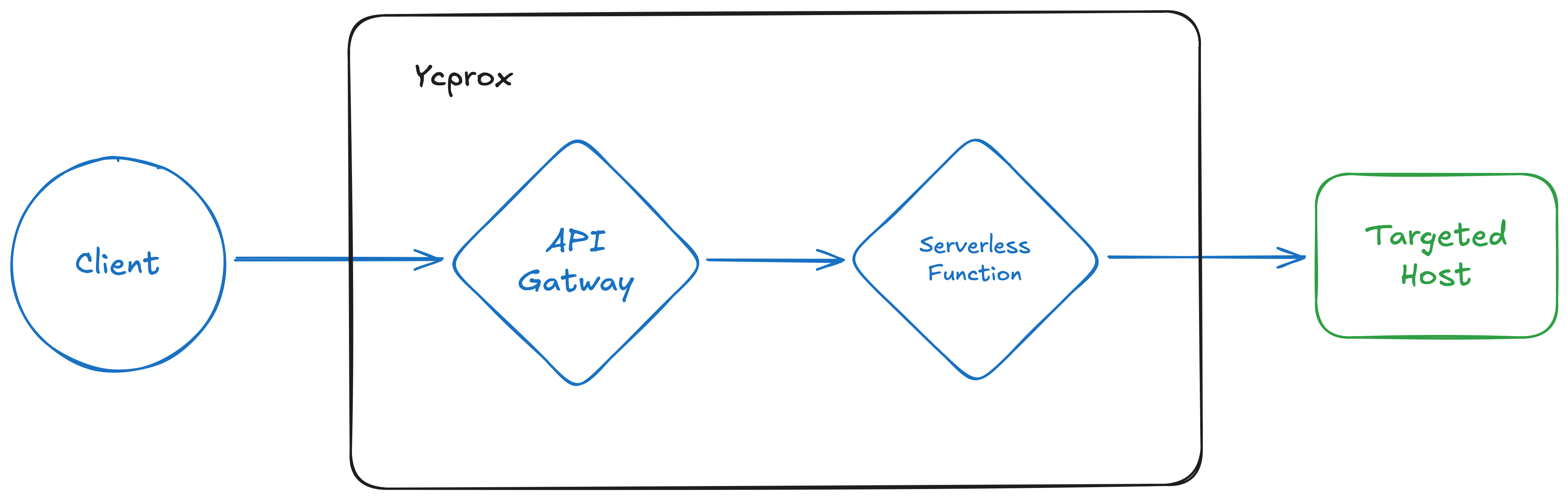
Hey! I recently developed a new tool ycprox which allows you to quickly deploy a forward proxy in Yandex Cloud infrastructure to change your IP address (almost) each request. You can check it out on Github and in this post I will cover some particularities I had to tackle / implement during development.
The idea💡
Originally I wanted to adapt the existing fireprox project for using Yandex Cloud (YC) resources. Here is how fireprox works in simple terms:
- fireprox uses your static access key to interact with AWS API
- fireprox creates new API Gateway in the cloud which forwards HTTP(S) requests to chosen targeted host
- You send requests to API Gateway instead of targeted host and AWS internally uses new IP from their pool every request
- PROFIT!1!1 You have successfuly hidden your IPs and bypassed all simple ratelimiters.
I quickly looked at the code and it was clearly using boto3 for communicating with AWS API:
#!/usr/bin/env python3
from multiprocessing import Pool
from pathlib import Path
import shutil
import tldextract
import boto3
...

class FireProx(object):
...
    def load_creds(self) -> bool:
      ...
        if self.access_key and self.secret_access_key:
            try:
                self.client = boto3.client(
                    'apigateway',
                    aws_access_key_id=self.access_key,
                    aws_secret_access_key=self.secret_access_key,
                    aws_session_token=self.session_token,
                    region_name=self.region
                )
    ...
The problem is Yandex Cloud has its own python SDK for interacting with API and it is not boto3-compatible, so “just replace aws with yc” was not an option. Also I wanted a code that could be more modular and use Pydantic-settings library which is a great data validation library and by the way also has builtin features for CLI apps development. That’s great - we could both validate data and build our own CLI model of application.
A little hurdles
Wrong certs??📝
So I started creating a Proof-of-Concept. Firstly, I wanted to take openapi-spec from fireprox and adapt it for Yandex Cloud Serverless API Gateway:
openapi: 3.0.0
info:
  title: {title}
  version: "{version_date}"
paths:
  /:
    get:
      summary: Root path proxy
      parameters:
        - name: X-My-X-Forwarded-For
          in: header
          required: false
          schema:
            type: string
      x-yc-apigateway-integration:
        type: http
        url: "{url}/"
        method: GET
        headers:
          X-Forwarded-For: "{{X-My-X-Forwarded-For}}"
          '*': '*'
        query:
          '*': '*'
        omitEmptyHeaders: true
      responses:
        '200':
          description: Successful response
  /{{proxy+}}:
    x-yc-apigateway-any-method:
      summary: Catch-all proxy for any path and method
      parameters:
        - name: proxy
          in: path
          required: true
          schema:
            type: string
        - name: X-My-X-Forwarded-For
          in: header
          required: false
          schema:
            type: string
      x-yc-apigateway-integration:
        type: http
        url: "{url}/{{proxy}}"
        headers:
          X-Forwarded-For: "{{X-My-X-Forwarded-For}}"
          '*': '*'
        query:
          '*': '*'
        omitEmptyHeaders: true
      responses:
        '200':
          description: Successful response
In theory it should work, but on practice I got a nasty error in response🙄:
{"message":"Hostname/IP does not match certificate's altnames: Host: XXXXXXXXXXXXXXXXXXXX.YYYYYYYY.apigw.yandexcloud.net. is not in the cert's altnames: DNS:ZZZZZZZZZZ.com"}
After fighting with ChatGPT I found out that it was the problem with headers forwarding. It looks like our openapi spec does exactly what we asked it to do😅 It forwards all the headers.
Unfortunately for us, the Host header too.
Let’s fix that and pass correct domain into Host header:
x-yc-apigateway-integration:
    type: http
    url: "https://habr.com/{proxy}"
    headers:
      Host: habr.com      # Here we pass the correct host, in this case habr.com
      '*': '*'            # All the other headers are forwarded except Host, because it has been explicitly defined
Now we can “templatize” this host field in python and get the proper response for our GET request:
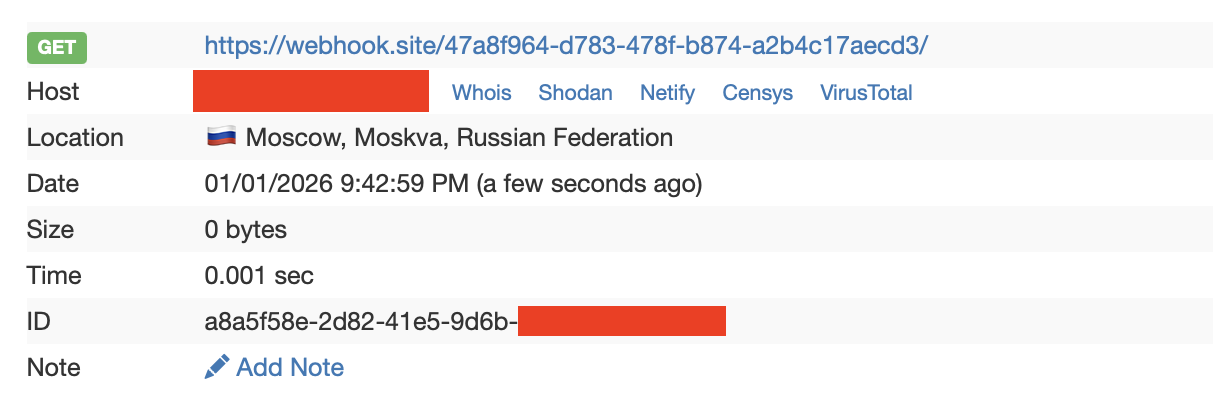
By the way, I use webhook.site here as a great tool to check what requests are comming in and to test our proxy.
Some excessive headers🙉
It seems like now we have a great adaptation of fireprox’es original openapi spec, but when I spined up an API Gateway with this spec, I found out that though IP address were indeed changing, I had some nasty headers added to my original HTTP request:
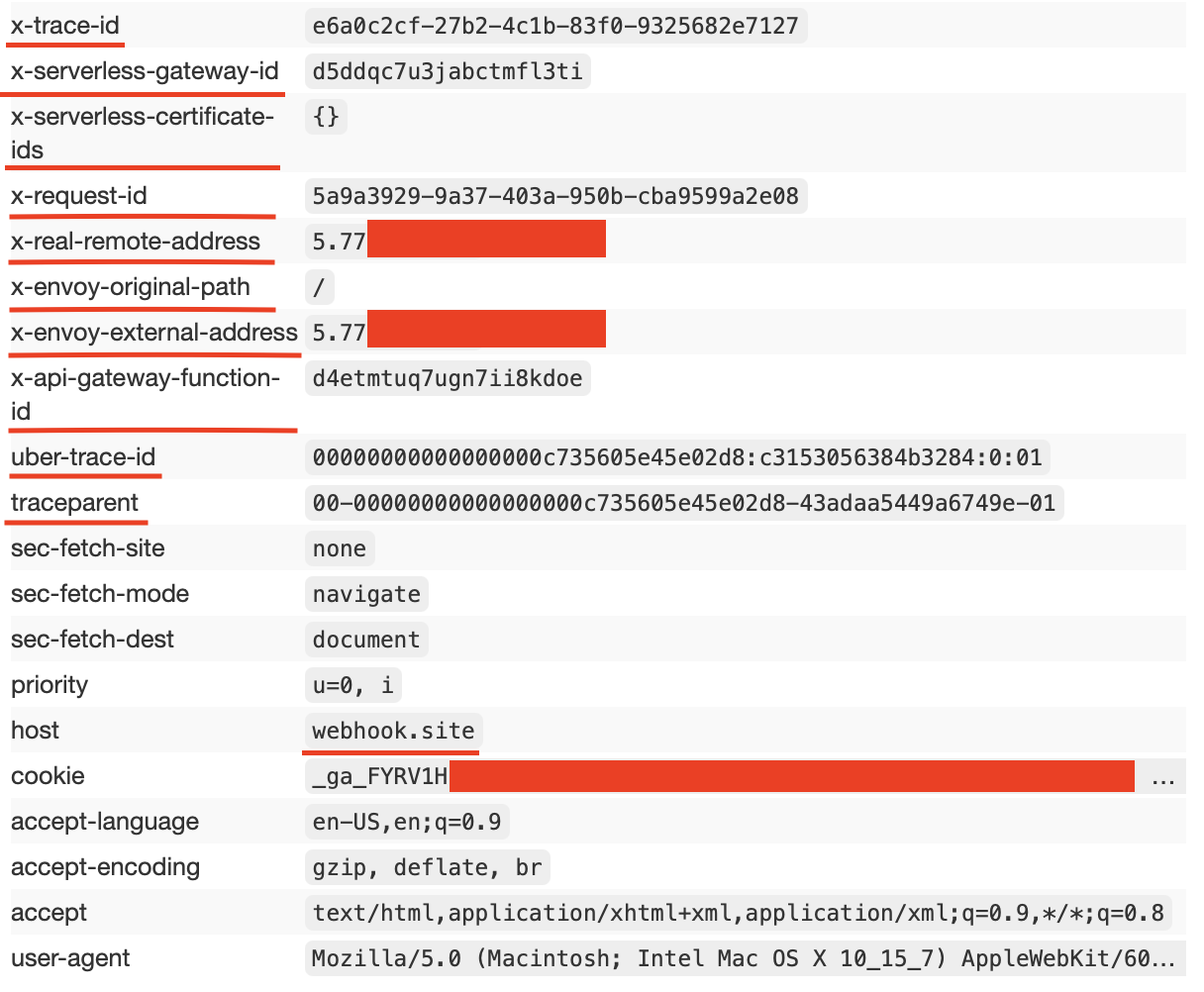
There is definitely no sense hiding by a proxy and still pass our IP address in special header x-real-remote-address which our ‘friendly’ API Gateway does for us. So I tried to change this behavior.
Firstly, I tried to explicitly define those headers with empty values hoping that API Gateway would skip them or override headers with those empty values similar to how I did with Host header.
But no luck here… Even omitEmptyHeaders: true option did not work for those headers.
Disappointed in that kind of behavior I came up with idea to pass the request to Serverless Function (aka Lambda function in AWS) which could clear those headers.

Fighting query params in functions🤺
Why not use just serverless function? - you could ask. Well, it could work but serverless functions have specifc path instead of seperate domain for calling it like this:
https://functions.yandexcloud.net/XXXXXXXXXXXXXXXXXXXX
It could lead to certain troubles forwarding query parameters to such a function, so I decided to stick to Gateway + Function variant.
Finally, I vibe-coded a serverless function which does the following:
- Takes request with excessive headers from APT Gateway
- Cuts out all those headers
- Sends request to targeted host
BLOCKED_REQUEST_HEADERS = {
    "uber-trace-id",
    "x-real-remote-address",
    "host",
    "x-serverless-gateway-id",
    "x-serverless-certificate-ids",
    "tracestate",
    "traceparent",
    "x-api-gateway-function-id",
    "x-envoy-external-address",
    "x-envoy-original-path",
    "x-request-id",
    "x-trace-id",
}
...

def handler(event, context):
    method = (event.get("method") or "GET").upper()

    proxy_value = event.get("pathParams", {}).get("proxy")
    path = "/" + proxy_value if proxy_value else "/"
    ...

    # Filter request headers
    outgoing_headers = {}
    for name, value in incoming_headers.items():
        if name is None or value is None:
            continue
        if name.lower() in BLOCKED_REQUEST_HEADERS:
            continue
        outgoing_headers[name] = value
    ...

    # Send request to backend
    resp = requests.request(
        method=method,
        url=backend_url,
        headers=outgoing_headers,
        params=query,
        data=body_bytes,
        allow_redirects=False,
    )
    ...
I also shot in my own foot when used event["path"] instead of pathParams. The problem here is that event["path"] holds /{proxy+} as it was defined in API Gateway, but the actual passed parameter value is stroed in event["pathParams"]["proxy"].
Now it seems to work well! All the headers are filtering out and the IP changes to Yandex Cloud ISP!
Final words🏁
Thanks for reading my post! I would really appreciate testing my tool ycprox against real-world scenarios. In case you have heavy requests try incresing Cloud Function timeout - I think it should help.
I hope you enjoyed that such a tool is now released and see you soon!😊